Check a Kitchen Scale's Unit Before Measuring a Drink
A kitchen scale is one of the most useful tools in a home café setup, but it carries a quiet trap: the unit displayed on the screen is not always the unit your recipe expects. Scales commonly cycle through grams, ounces, and sometimes a fluid-ounce or millilitre display mode with a single button press, and the screen label can be easy to miss when you are focused on pouring. Reading 30 on the display means something very different depending on whether the scale is showing grams or fluid ounces. Catching this before you pour, rather than after, is the whole point of this technique note.
Read the note ↓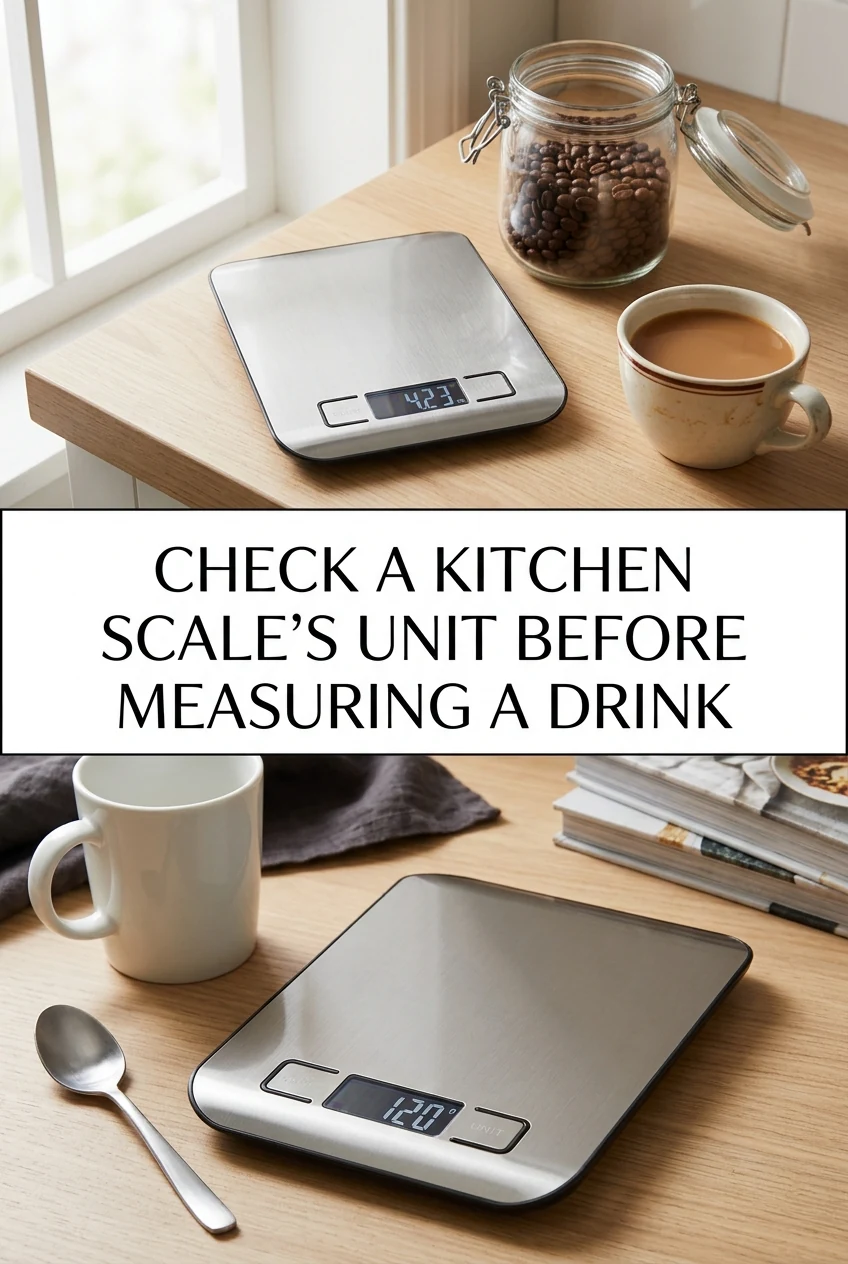
AI-generated editorial concept created for this article. The image is not a technical diagram or a tested result.
Understand the Unit Modes Your Scale Offers
Most digital kitchen scales offer at least two unit modes: grams and ounces. Many also include a fluid-ounce mode or a millilitre mode, sometimes labelled fl oz or mL on the display. These modes are cycled by pressing a dedicated unit button, often marked with a symbol or the word UNIT. The active unit is shown as a small abbreviation beside the number. Before you place any container on the platform, press the unit button and read the abbreviation carefully. Confirm it matches what your drink recipe states. If your recipe lists ingredients in grams and the scale is showing oz, the numbers will not correspond, and your proportions will be off from the first pour.
Why Volume and Mass Are Not Interchangeable on a Scale
A scale measures mass, not volume. When a scale displays a fluid-ounce or millilitre mode, it is using a fixed density assumption built into the firmware, typically based on water. That assumption does not hold for every liquid. A thick oat-based drink, a concentrated syrup, or a dairy alternative each has its own density, which may differ from water. If you pour a syrup while the scale is in a fluid-unit mode calibrated for water, the displayed volume will not accurately reflect the actual volume of that syrup. The safest approach for home café work is to use the unit your recipe explicitly states, whether that is grams or millilitres measured in a graduated jug, and to avoid switching between mass and volume mid-recipe without a reliable conversion for that specific ingredient.
A Worked Example: Measuring Ingredients for a Vanilla Oat Drink
This is an illustrative plan, not a kitchen-tested result. Suppose a recipe calls for 200 g of chilled oat drink, 15 g of date syrup, and 2 g of alcohol-free vanilla flavouring. You place a tall glass on the scale and press TARE to zero it. Before pouring, you glance at the unit display and notice it reads oz from a previous session. You press the unit button once and the display changes to g. Now you pour the oat drink slowly until the display reads 200, then press TARE again and add the date syrup until the display reads 15, then TARE once more and add the vanilla flavouring until the display reads 2. Each ingredient is measured in the same unit the recipe used, so the ratios remain as the recipe intended. If you had left the scale in oz mode, 200 oz would be a very large quantity, and 15 oz of syrup would be far more than the recipe requires, making the drink unpleasantly sweet.
Building a Pre-Pour Unit Check into Your Routine
The simplest way to avoid a unit mismatch is to make the unit check the very first step every time you use the scale, before placing any vessel on it. Some home baristas place a small sticky note beside the scale that reads CHECK UNIT as a prompt. Others keep the scale set to grams by default and only change it when a recipe specifically calls for a different unit, then return it to grams immediately after. Whichever approach fits your workflow, the key habit is treating the unit confirmation as a non-optional step rather than an afterthought. This takes only a moment and removes a common source of proportion errors in drink preparation.
Returning the Scale to Your Default Unit After Each Session
After you finish measuring, return the scale to your chosen default unit before you set it aside. This means the next time you reach for it, you are starting from a known state rather than whatever unit was active at the end of a previous task. Check your scale's manual for whether it retains the last-used unit after being switched off, as behaviour varies between models. Some scales reset to a factory default unit on power-up, while others remember the last setting. Knowing your specific scale's behaviour lets you decide whether a post-session reset is necessary. Prompt refrigeration of any prepared perishable drink components, such as a mixed oat-based drink or a dairy-containing preparation, is a separate but equally important step that should follow immediately after measuring and combining ingredients.
A little more
to know.
Can I convert between grams and fluid ounces myself if my scale only shows one unit?
You can use a conversion for water-based liquids where the density is close to 1 gram per millilitre, but for syrups, plant-based drinks, or other liquids with different densities, a simple gram-to-millilitre conversion will not be accurate. The most reliable approach is to use a graduated measuring jug for volume measurements and your scale for mass measurements, matching whichever tool corresponds to the unit your recipe states.
What should I do if my scale's unit button is not responding?
Consult the instruction manual that came with your specific scale, as the unit-switching procedure varies between models. Some scales require a long press rather than a short tap to change units, and some lock the unit setting when a weight is already on the platform. If the button remains unresponsive after following the maker's instructions, contact the manufacturer's support rather than attempting to open or adjust the scale yourself.
Original editorial guidance and recipe formulations, not independently kitchen-tested. Times are estimates and depend on equipment and product directions. Cooked bases need additional cooling and refrigeration before cold serving. Images are AI-generated illustrations; appearance and yield may vary. Check actual ingredient labels, allergens, and any certification you require. We do not certify products. Read our approach.
Save to Pinterest ↗ANOTHER IDEA FOR THE COUNTER