Check a Digital Timer's Sound Setting Before a Quiet Brewing Session
A digital timer is one of the most useful tools in a home café setup, but its alert system can catch you off guard. Some timers emit a loud beep that cuts through a quiet room; others offer a silent flashing display as the only signal. Before you commit to a carefully timed pour-over or a cold-brew steep, take a moment to learn exactly how your specific device signals the end of a countdown. This article walks through a practical approach to checking and choosing your timer's alert mode so your brewing session stays on track without unwanted noise.
Read the note ↓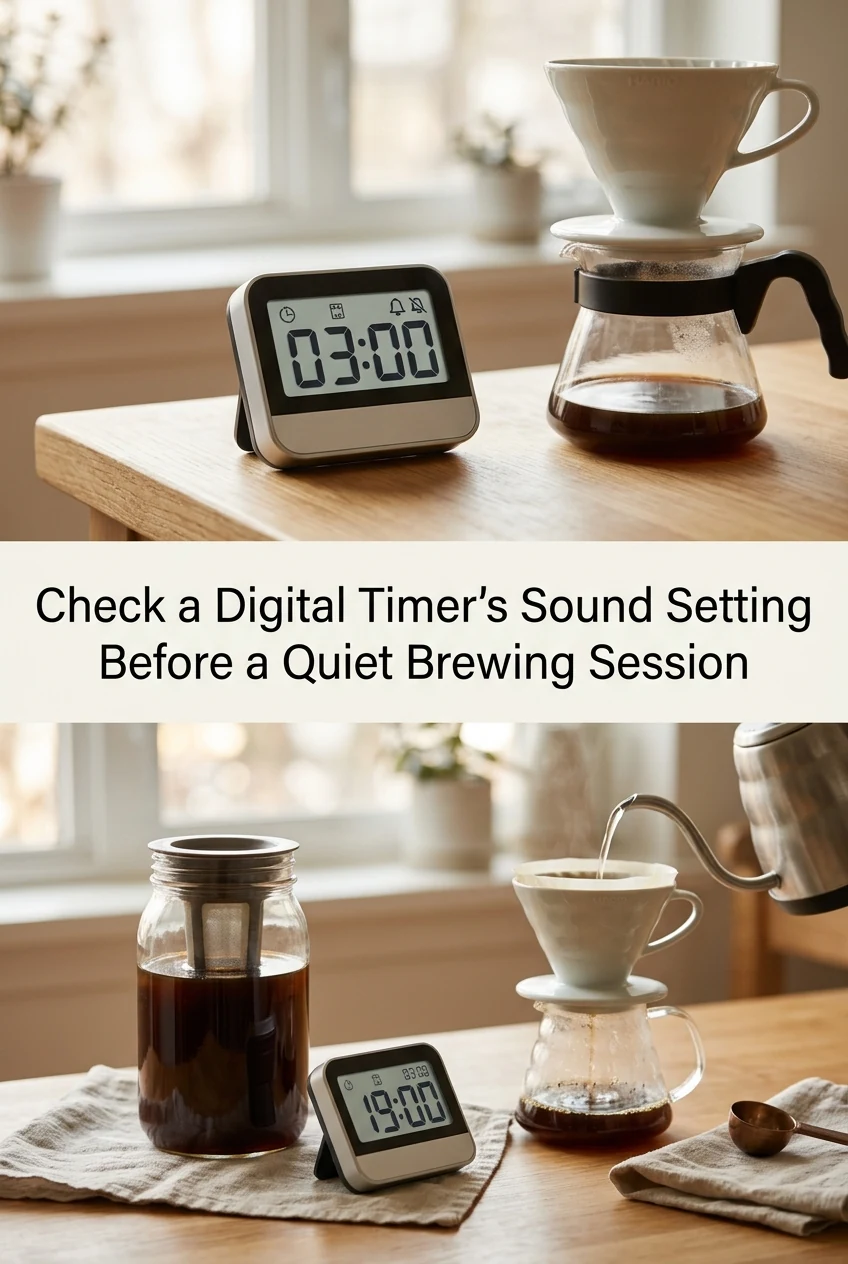
AI-generated editorial concept created for this article. The image is not a technical diagram or a tested result.
Understand That Every Timer Is Different
Digital timers are not standardized across brands or models. A timer purchased from one manufacturer may have a dedicated mute button, while another requires you to hold a combination of keys to toggle sound on or off. A third model may offer only a visual LED flash with no audio option at all. Before your next session, locate the physical manual or the manufacturer's support page for your specific device. Look for terms such as 'alert mode,' 'beep volume,' or 'silent mode' in the index. If no printed manual came with the unit, the model number printed on the back panel is usually enough to find a downloadable version. Never assume that a setting you used on a previous timer carries over to a new one.
Test the Alert Before You Start Brewing
Set a short test countdown of thirty seconds and let it run to completion while you stand nearby. Note whether the timer beeps, flashes, vibrates, or does a combination of these. If the beep is louder than you expected, consult your manual for a volume reduction or mute option and apply it now, before any coffee is in the brewer. If the timer relies solely on a flashing display, decide whether you can realistically see it from where you will be standing or sitting during the brew. A flashing indicator that sits flat on a dark countertop may be easy to miss. Complete this test with zero coffee involved so there is no wasted time or ingredients if you need to adjust.
Choose a Visible Location for a Silent or Low-Volume Timer
If your timer's sound is off or very low, placement becomes the most important factor. Position the device at eye level or prop it against a small stand so the display faces you directly. During a pour-over session, for example, you will be pouring water in stages and your attention shifts between the kettle, the dripper, and the scale. A timer placed to the side and slightly elevated is easier to glance at than one lying flat beside the brewer. This is an illustrative placement suggestion, not a tested guarantee that you will never miss an alert. Your own kitchen layout and sight lines will determine the best spot, so walk through the motions of your brew routine before committing to a location.
A Worked Example: A Simple Pour-Over with Two Timed Stages
Suppose you are preparing a single-cup pour-over and you want to time a thirty-second bloom followed by a two-minute main pour. You have already confirmed that your timer beeps at the end of a countdown and that the volume is set to a level comfortable for your space. You set the first countdown to thirty seconds, begin your bloom pour, and watch the display. When the alert sounds or flashes, you start the second countdown of two minutes and continue pouring in slow, steady circles according to your usual method. At the second alert, you know the pour window has closed. This plan is illustrative; actual brew results depend on your grind size, water temperature, and coffee variety, none of which the timer controls. The timer's only job is to signal elapsed time accurately.
Prompt Handling of Any Perishable Additions
If your brewing session includes a milk-based drink or a flavored syrup made with alcohol-free vanilla flavoring, the timer can also help you remember refrigeration. Set a short reminder countdown for any dairy or prepared syrup left on the counter. Refrigerate milk and cream promptly after use rather than leaving them out while you enjoy your drink. For a homemade simple syrup made with water, sugar, and an alcohol-free vanilla flavoring, store it in a sealed container in the refrigerator and follow any guidance provided by the flavoring manufacturer regarding use-by periods. Do not rely on invented shelf-life figures; use your senses and the product's own labeling as your guide.
A little more
to know.
What should I do if my digital timer has no sound option at all?
Some budget timers are display-only by design. If yours has no audio alert, focus entirely on placement. Set it at a height and angle where the flashing or changing display is clearly visible from your brewing position. You can also pair it with a phone timer set to the same duration as a backup, using whatever alert your phone offers, as long as the sound level suits your environment.
Can I use the same timer settings for every type of manual brew?
The alert mode you configure, whether sound or silent, can stay consistent across sessions. However, the countdown durations themselves should match the specific method you are using each time. A French press steep, a pour-over bloom, and a cold-brew contact time all call for different durations. Check the guidance that came with your coffee or brewer for suggested timing ranges, and set your timer accordingly rather than applying a single universal figure.
Original editorial guidance and recipe formulations, not independently kitchen-tested. Times are estimates and depend on equipment and product directions. Cooked bases need additional cooling and refrigeration before cold serving. Images are AI-generated illustrations; appearance and yield may vary. Check actual ingredient labels, allergens, and any certification you require. We do not certify products. Read our approach.
Save to Pinterest ↗ANOTHER IDEA FOR THE COUNTER